
A-CalcM
List Calculator
For iPad / iPhone 3 columns in iPad landscape
The major update (version 10.0) is out
Just update the A-CalcM you already have. There is no new app to buy — your existing data and settings carry over.
On iPad: three lists side by side
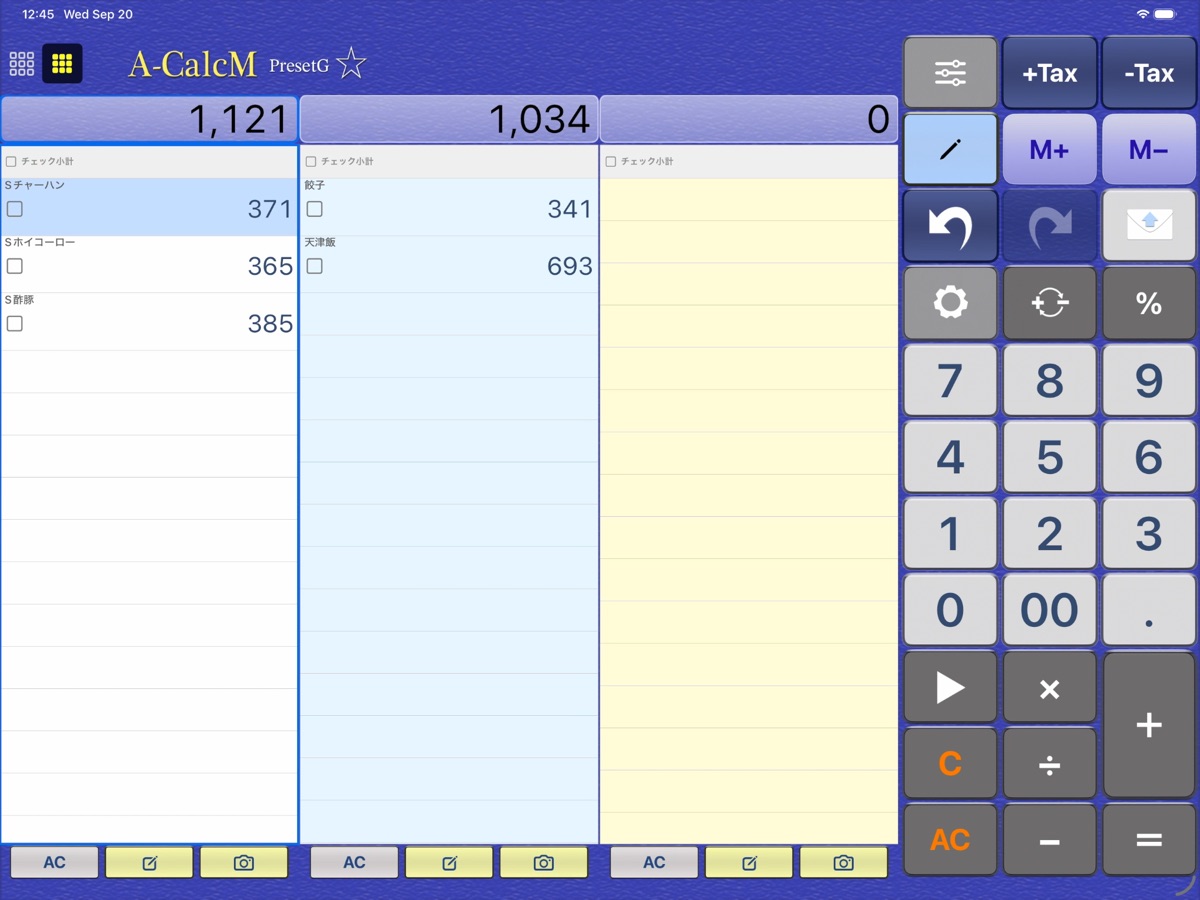
Many people use A-CalcM on the big screen of an iPad. Turn your iPad sideways and three lists sit side by side, so you can compare calculations as you type (free). Move checked items straight to another column — handy for splitting a bill by what each person ate. (The video is in Japanese.)
How-to videos (5 parts)
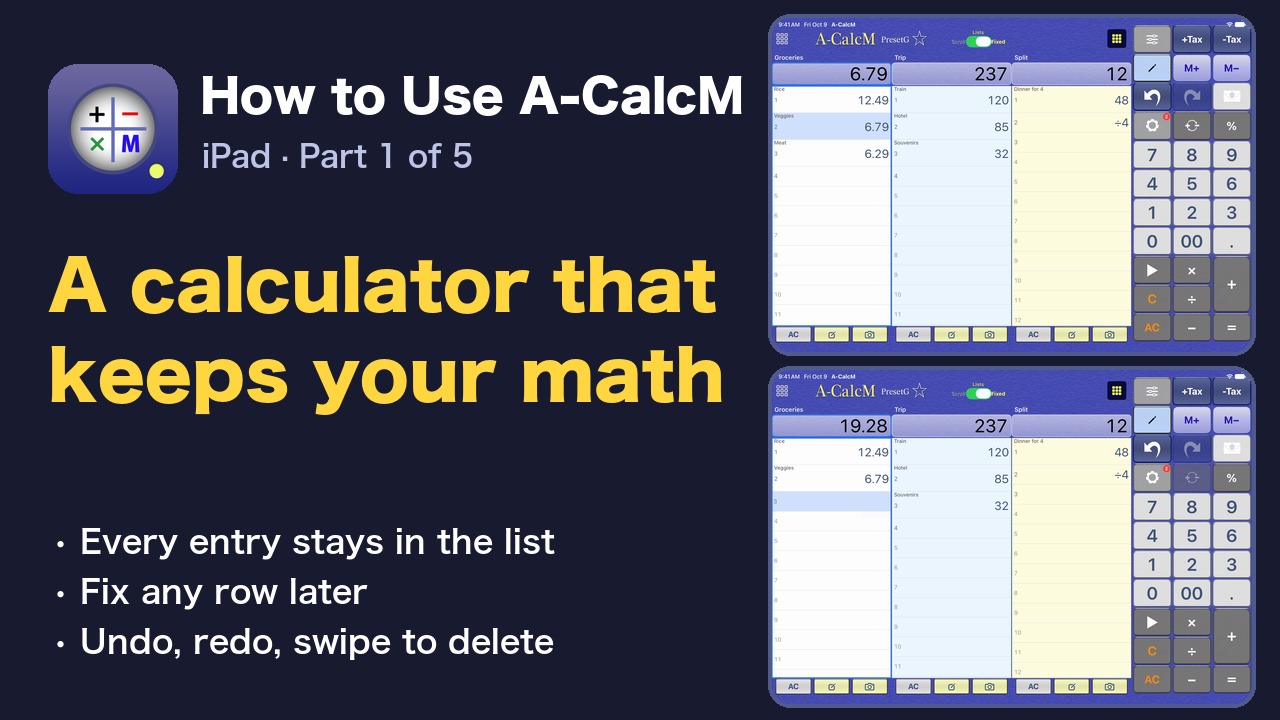
Video: How to Use A-CalcM 1 (the basics, on iPad) · All how-to videos
On iPhone, too (3 parts)
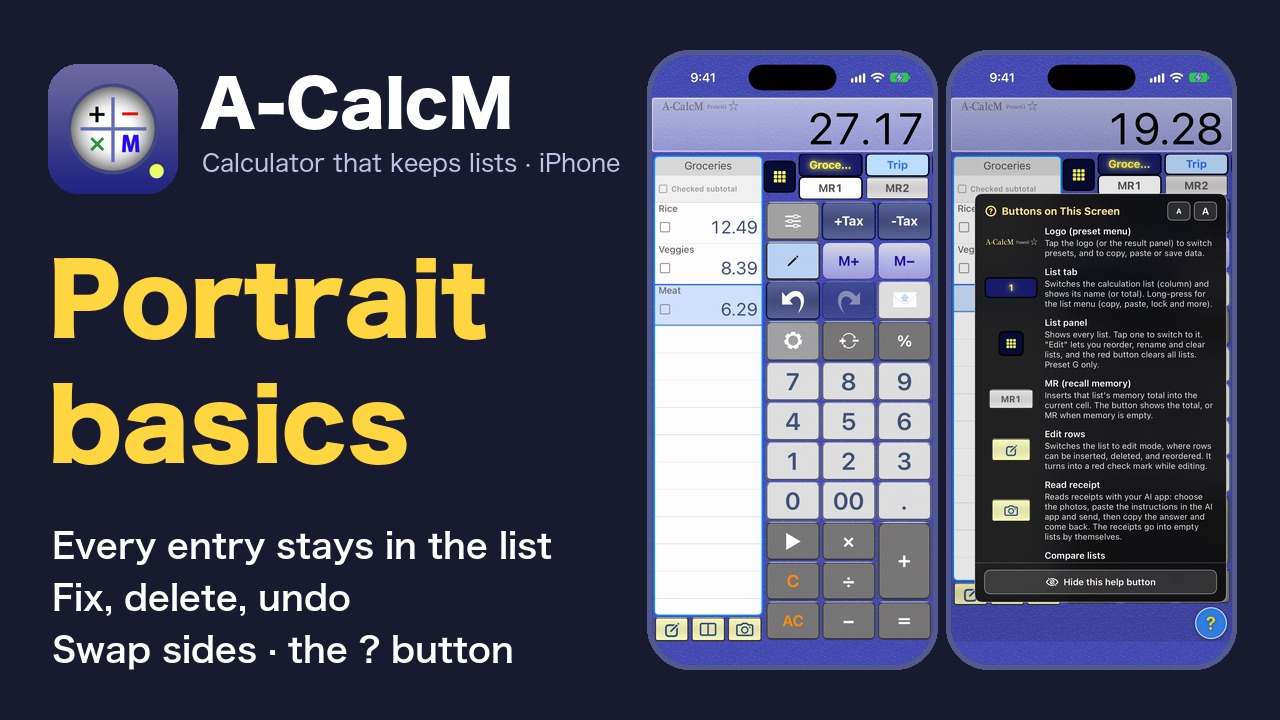
A-CalcM is free on iPhone too, and your iPhone makes it easy to snap receipts on the spot. · iPhone how-to videos (3 parts)
Read receipts with AI
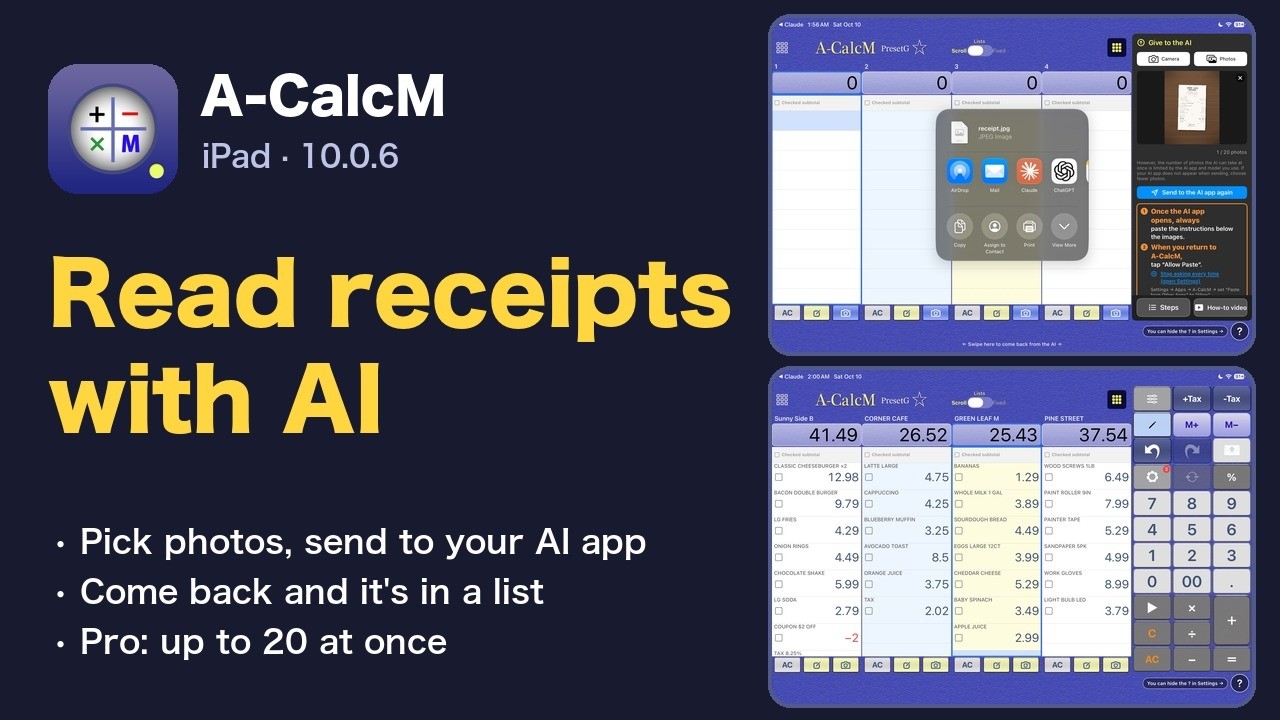
Let your AI app (Claude, ChatGPT, etc.) read a receipt photo, and the items and prices go into a list. It's free one photo at a time; with Pro, you can send up to 20 photos at once.
The whole calculator series, in one
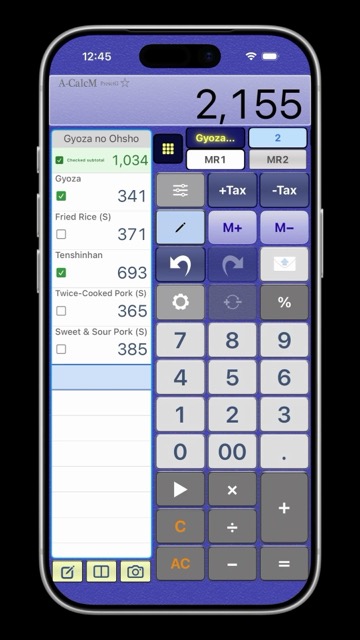
A-CalcM brings the presets of our list-style calculator series
(A-Calc0 / A-Calc9 / A-CalcM) together into one app, rebuilt from the ground up
in a major update.
It works just like a regular calculator, while every number and operation
you enter stays visible in a list.
What A-CalcM offers
- Presets from the whole series: Simple 0 (A-Calc0), Simple 9 (A-Calc9), Preset M (A-CalcM), plus the all-new, fully featured Preset G
- Preset G comes with 3 lists for free; with Pro you can use up to 31
- Each of the 4 presets keeps its own lists: Simple 0 (1 list), Simple 9 (3 lists), Preset M (3 lists), Preset G (3 lists free, up to 31 with Pro)
- Long-press a button → “Make double height” to make it twice as tall when the space above or below is free
- Pro (in-app purchase): hides the ad banner area, up to 31 lists in Preset G, and list locking. If you already bought “Remove ads”, you get Pro automatically
Your data carries over
• On the same device (automatic)
The lists and settings you already use in A-CalcM carry over after the
major update — no extra steps needed.
• To a different device (via file)
Tap the logo (the result panel at the top) and choose “Save to file”,
then share it via AirDrop or the Files app.
On the other device, tap the logo and use the import-from-file option to receive it.
If you find a bug, please contact us from the in-app “Contact” option, attaching a screenshot.
A-Soft
What’s new in 10.0
Main features added in the major update from the previous version (up to 3.2).
- The whole list calculator line is included as four presets you can switch between
- Each preset keeps its own calculation data separately
- In Preset G, lists go from a fixed 3 to as many as 31 (from the 4th list on with Pro)
- Press and hold a button and choose “Make double height” to make it taller
- Pro (in-app purchase) hides the ad banner area and adds up to 31 lists and list locking. If you already bought “Remove ads”, you get Pro automatically
- Just update, and your existing lists and settings carry over
- Export all your data to a file and import it on another device
- Save your calculation data to the A-Note notes app and restore it whenever you need
- The sales tax rate is set automatically from your device’s country
- The “?” button on each screen explains what the buttons there do