A-CalcM how-to videos

Short videos that explain A-CalcM, one feature at a time. Pick the one you need.

What A-CalcM Pro can do (iPad)Pro

Hiding the ad banner area, 31 lists, reordering them, locking a list, and how to buy, shown on the iPad in landscape. Pro is a one-time purchase, not a subscription.

Watch on YouTube

Split a row (new: share a dish half and half)

Select a row, tap it again and choose Split to divide it into rows of equal amounts. When you share a dish, check just your half and get your share.

Watch on YouTube

Read a receipt with your AI app and add it to a list
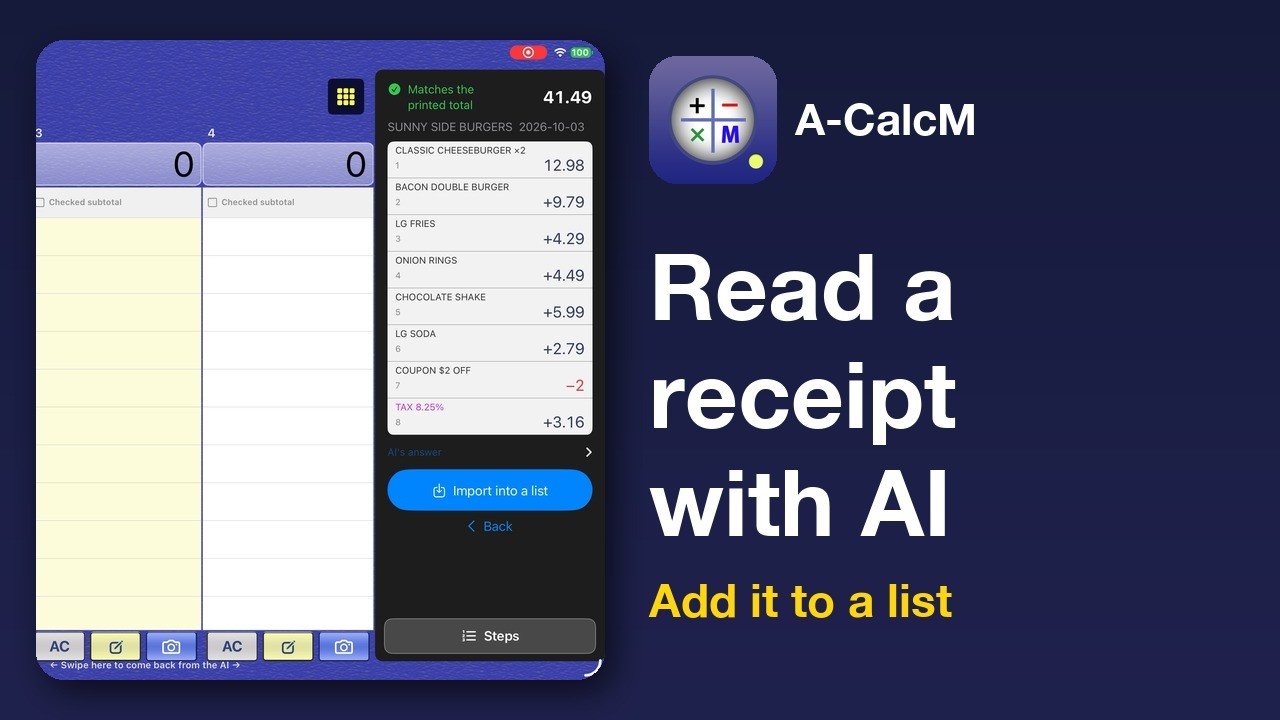
Send a receipt photo to the AI app you use, have it read the items and prices, and bring the answer back into a list.

Watch on YouTube

How to Use A-CalcM iPhone 1: Portrait screen basics

A-CalcM is free on iPhone too. Find your way around the portrait screen, see every entry stay in the list, switch lists, fix or delete a row, swap sides, and use the ? button.

Watch on YouTube

How to Use A-CalcM 1: A calculator that keeps your calculations (iPad)

Every number and operator stays in the list, with the total above the column. Write in three lists side by side on iPad in landscape, fix a row later, undo and redo, and swipe a row to delete it.

Watch on YouTube

How to Use A-CalcM 2: Use the three columns (iPad)

A separate list in each column, the subtotal of checked rows, copying or moving checked rows to another list, and the Scroll / Fixed switch for when you have many lists.

Watch on YouTube

How to Use A-CalcM 3: Item names, memory and tax (iPad)

Add item names to numbers, see memory (M+ / M−) entries and the total, add or remove tax with +Tax / −Tax, and choose rounding and decimal places in Quick Settings.

Watch on YouTube

How to Use A-CalcM 4: Share and back up (iPad)

Share a list as an image or tab-separated text, save to a file and import it, and save to our notes app A-Note and restore from it.

Watch on YouTube

How to Use A-CalcM 5: Make it your own (iPad)

Four presets (Simple 0, Simple 9, Preset M, Preset G), background color and texture, number button shape and display size, and Pro (31 lists, list lock, hide the ad banner area).

Watch on YouTube

How to Use A-CalcM iPhone 2: Two lists side by side

Even in portrait on iPhone, you can compare two lists side by side. The Compare lists button, seeing your other lists, and getting back to the keys.

Watch on YouTube

How to Use A-CalcM iPhone 3: Share, save and Pro

Share your calculations as an image or text with the envelope key, save to our notes app A-Note, back up to a file, and see what Pro adds (31 lists, list lock, hide the ad banner area), on iPhone.

Watch on YouTube

YouTube playlist

About A-CalcM How-to videos for other apps