

A-Note
Note App
The major update (version 10.0) is out
Just update the A-Note you already have. There is no new app to buy — your existing data and settings carry over.
A-NoteJ, reborn
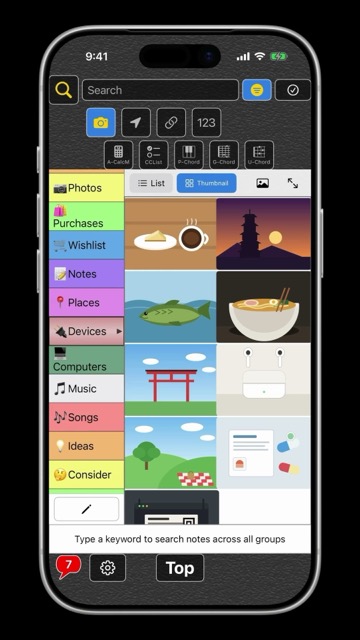
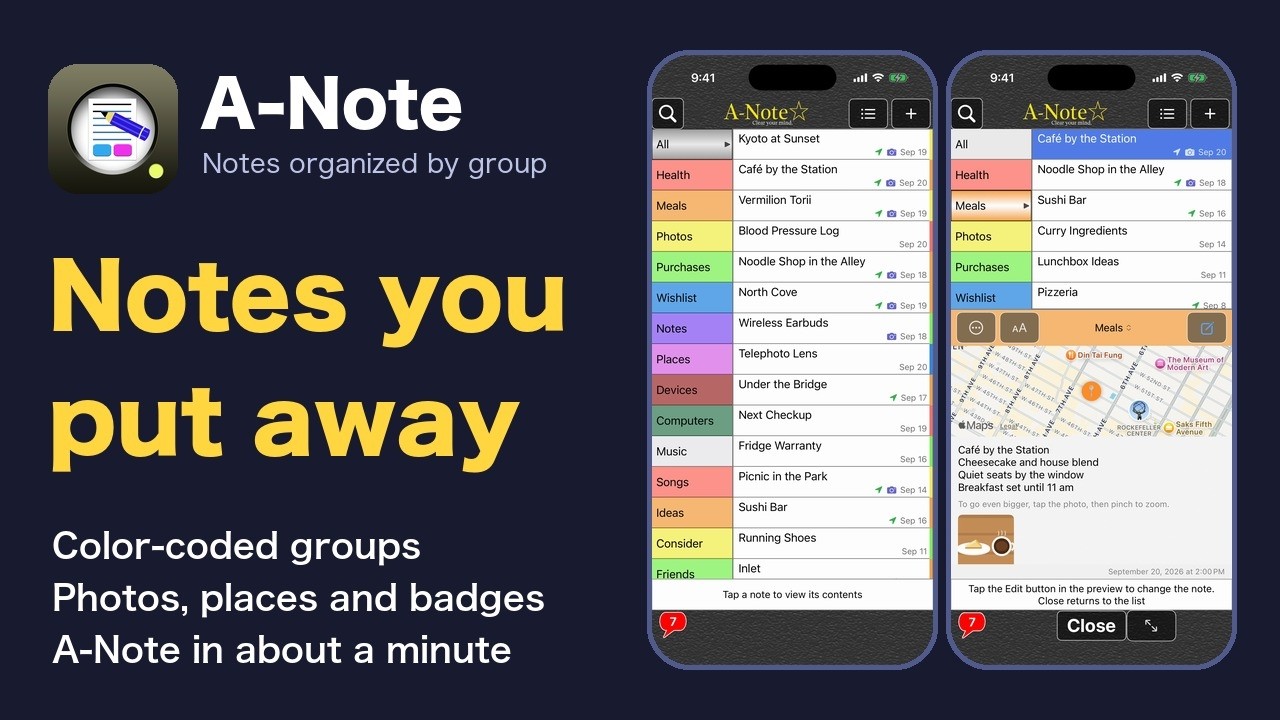
Video: A-Note in 1 minute (the way into the guide series) · All how-to videos
What A-Note Pro can do
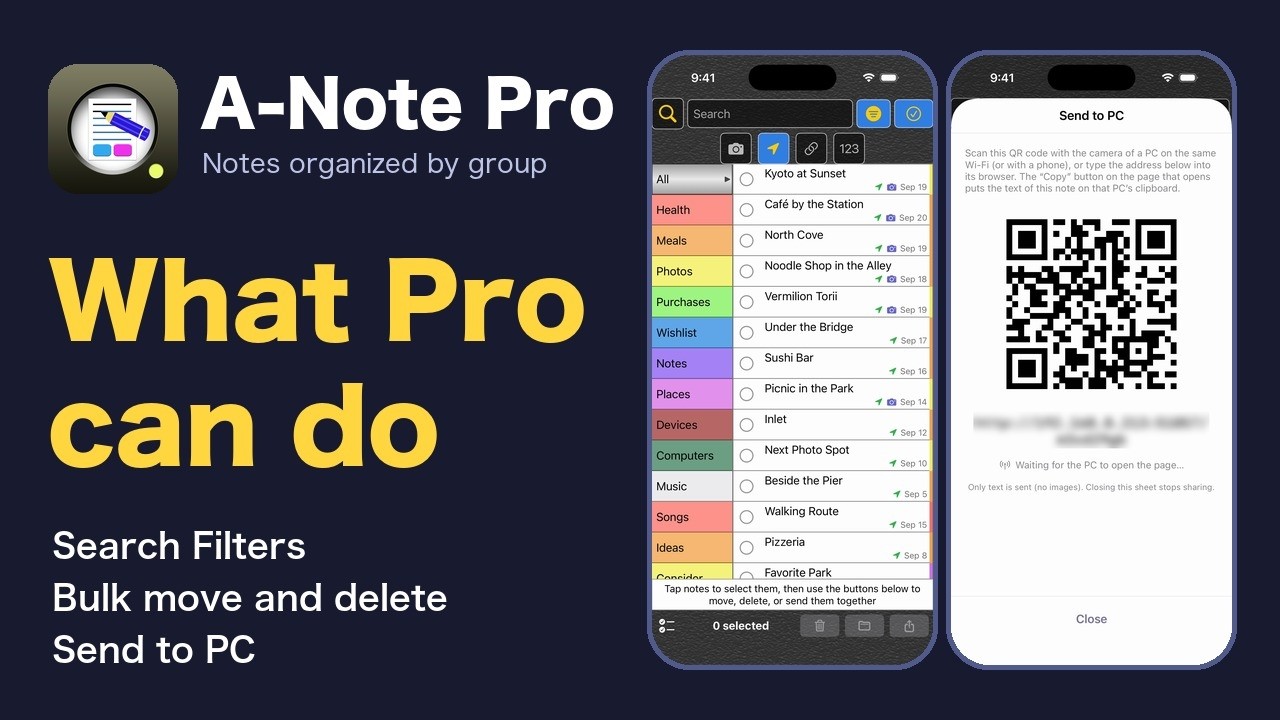
Search Filters, bulk move and delete, Send to PC, and a hidden ad banner area. Pro is a one-time purchase, not a subscription.
A-Note 10.0 is a major update to our long-running note app A-NoteJ
(up to version 3.2), rebuilt from the ground up.
Organize your notes into groups, with handy tools for everyday
note-taking such as photos, location and search.
What A-Note offers
- Organize notes into groups, and customize each group's color, opacity and font size
- Attach multiple photos to a single note, with full-screen view and pinch to zoom
- Record a location and view it on a map, or open it in Apple Maps
- Keyword search with filters (photos, location, links, phone numbers)
- Add a badge to important notes for quick access
- Share the text, images and map link together
- Available in 14 languages (English, Japanese, Chinese, Korean, German and more)
Coming from A-NoteJ
Just update — everything carries over. The first time you open 10.0, your notes, groups, photos and settings are brought in automatically. There is nothing you need to do.
If you bought “Remove Ads”, you now have A-Note Pro at no extra cost. Everything you could do in A-NoteJ stays free, whether or not you have purchased.
Moving to a new iPhone? Create a file with “Save Backup File” in Settings, then load it on the new device with “Restore from Backup”. Backup files made with A-NoteJ can be restored as well.
We recommend saving a backup file from time to time to keep your notes safe.
If you find a bug, please contact us from the in-app “Contact” option, attaching a screenshot.
A-Soft
What’s new in 10.0
Main changes from the previous version (A-NoteJ).
- Just update, and your existing notes and photos carry over
- Narrow a search to notes with photos, locations, links or phone numbers
- The “?” button on each screen explains what the buttons there do
- Open a backup file from the Files app and restore it after a confirmation step
- On iPad, resize the group column and switch between side-by-side and stacked layouts
- The interface is now available in 14 languages, up from Japanese and English only