
K-Tuner
Guitar Tuner You Can Use Without Looking
For iPhone / iPad VoiceOver Ready
Just pluck. The voice does the rest.
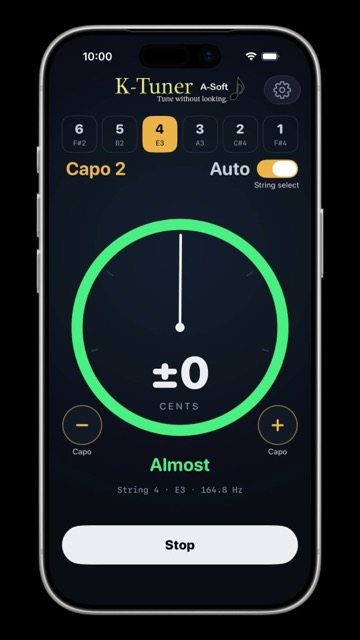
K-Tuner is a tuner designed from the start to be usable without looking at the screen.
Pluck one string and the app recognizes which one it is. Once the note settles it tells you in words:
“String 6, in tune”, “too low”, or “too high”.
Turn the peg, pluck again, and listen.
Instead of watching a needle, you listen. The app is being developed and tested on real devices together with a blind guitarist. It works just as well if you prefer to look at the screen.
Features
- Automatic string detection. The app identifies the string you plucked and tunes to its target. You can also lock a string with its button.
- Judged after the pitch settles. It announces “in tune” based on the settled value, not the pitch right after the pluck, which is still moving.
- Works with VoiceOver as is. Results are spoken by VoiceOver, and a two-finger double tap (Magic Tap) starts and stops detection.
- Spoken feedback without VoiceOver. Turn on “Speak aloud” in Settings and choose the speaking rate.
- Capo support (frets 0–9) so you can tune with the capo on.
- Note names your way. Letters (C D E), solfège (Do Re Mi), or German (C D E … H). Both the screen and the speech follow your choice.
- Detection resumes automatically after a phone call or alarm.
- A large circular meter. Deviation is shown by needle position and a word, not by color alone.
K-Tuner Pro (one-time purchase)
Standard tuning, capo, automatic string detection, spoken feedback, and hands-free operation —
everything you need for everyday tuning — are all free.
Purchasing KTuner Pro in the app unlocks the following:
- 18 tuning presets: Half step down, Whole step down, Drop D / C / B, Open D / E / G / A / C, DADGAD, Nashville, All fourths, All fifths, Major thirds, Guitalele, Ukulele (high G / low G)
- Reference pitch: A = 430–445 Hz
- Custom tunings (in preparation; planned for a future update)
* Buy once, use forever. Not a subscription. “Restore Purchases” makes it available on your other iPhones and iPads with the same Apple ID.
* No ads.
* Accessibility features will never be put behind a purchase.
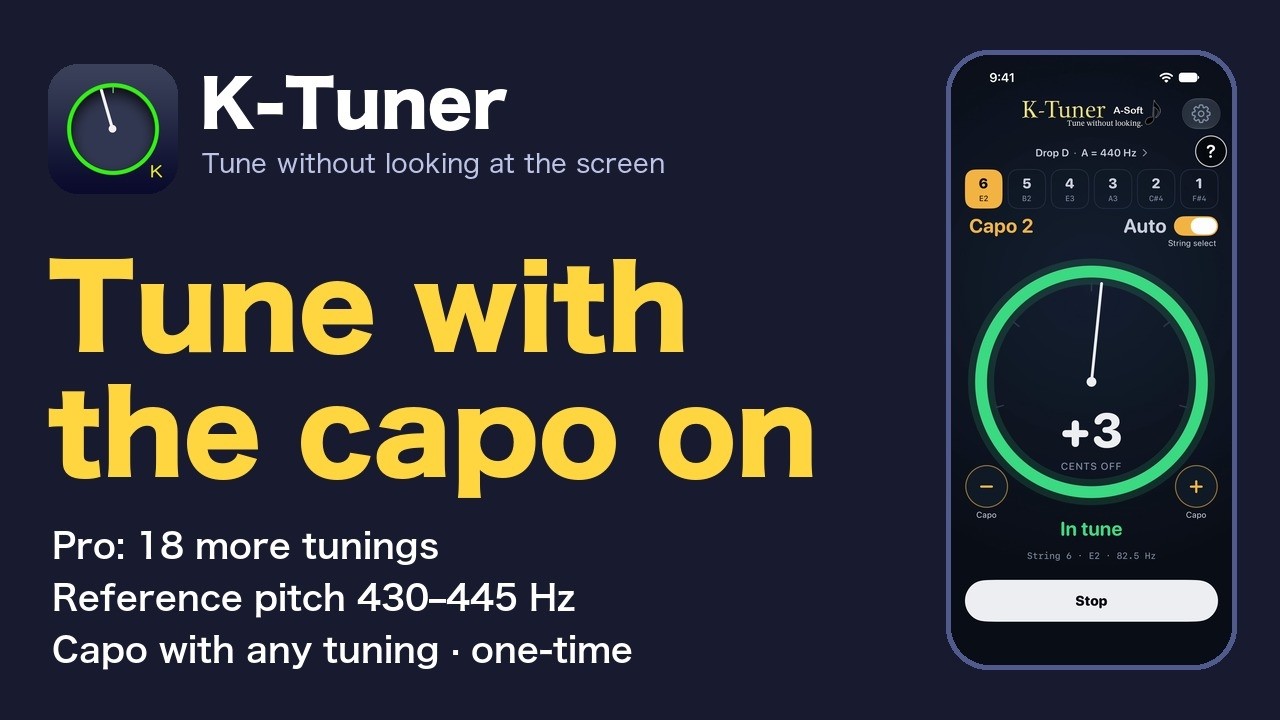
Video: What K-Tuner Pro adds (about 3 minutes) · All how-to videos
Tips
- Where to put the iPhone: Near the guitar body with the microphone facing the guitar. Your lap or a music stand is fine.
- Getting started: Detection starts automatically when the screen opens. After “Started”, pluck only one string.
- Wait for the result: Nothing is announced while you are turning the peg. Stop, then pluck again.
- “Probably too high”: The note faded before it settled, so this is an estimate. The direction is correct.
- “Beating detected”: Another string is resonating. Mute the strings you are not playing and pluck again.
- “Please pluck again”: The note was too short. A normal-strength pluck of a single string tunes fastest.
- “6th string is ringing”: A low string is still sounding and masking the higher one. Mute the other strings.
- Wrong string detected: A string more than a semitone off can be confused with its neighbor. Lock the string with its button before tuning.
- 6th string won't settle: A hard pluck takes about two seconds to settle. Keep the microphone out of air-conditioner drafts.
- No more announcements: Stop with a two-finger double tap, then start again.
Help us test K-Tuner in your language
K-Tuner tells you the result out loud, so the words matter more than in most apps. If the speech is wrong or unnatural in your language, the app is useless to the people it was built for.
We have translated the app into Spanish and Portuguese and are testing them before adding them to the app, and the English speech has never been checked by a blind user. We are looking for people who speak these languages — especially VoiceOver users who play guitar — to listen to the app once and tell us what sounds off. You do not need to write a long report. Even “the note names sound strange” is useful.
Write to staff@a-soft.info and we will tell you how to join.
Microphone and Privacy
The microphone is used only to listen to the guitar and measure pitch. Nothing is recorded, stored, or sent anywhere.
The activity log attached by “Send a bug report” does not contain microphone audio either.
See our Privacy Policy for details.
Requirements
- iPhone / iPad (iOS 17 or later)
- The user interface and spoken feedback are in English and Japanese (Spanish and Portuguese are being tested)
- 6-string guitar; Pro adds guitalele and 4-string ukulele
Support
To report a problem, use Settings → Support → “Send a bug report” in the app.
The app's activity log (app.log) and diagnostics are attached automatically, which speeds up finding the cause.
If the tuner cannot lock in or picks the wrong string, a recording of that moment (for example, a Voice Memo) lets us reproduce and fix it.
You can also email us at staff@a-soft.info. See the Support page for details.
A-Soft